Adding a Routing Rule
The Administrator may add Routing Rules to the system by:
- Select the Administrator Menu.
- Select the System Tools Menu Item and click Manage Routing Rules. This will open the Routing Rules screen.
- Select the New button.
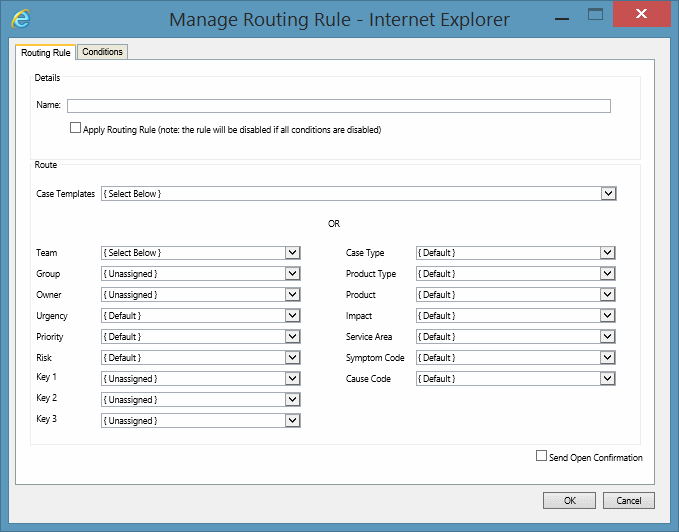
Under the Routing Rule tab fill in the necessary fields and select the requirements for the Routing Rule to log.
You can select a Case Template OR select each case field manually. Note: The Send Open Confirmation checkbox will override the setting in the destination Queue.
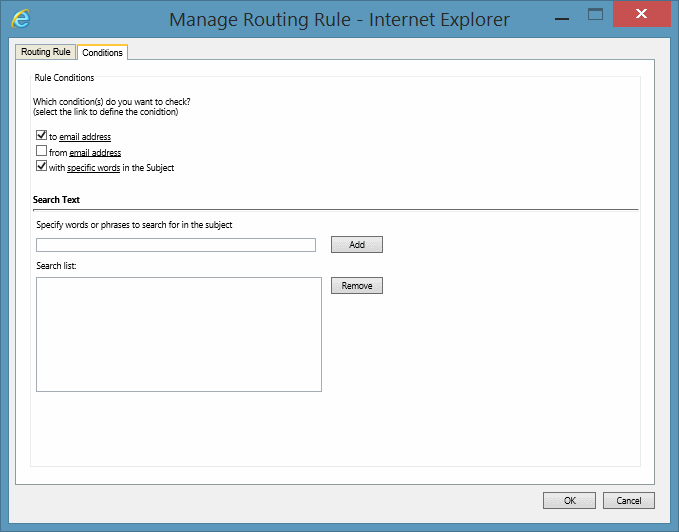
Under the Conditions tab specify one or more conditions that will trigger the Routing Rules.
See Also
Routing Rules overview
Deleting Routing Rules
Editing Routing Rules