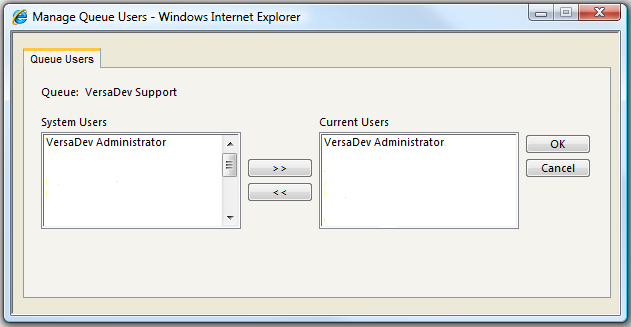
Assigning a User to a Queue
Note: For more information on assigning operators to Queues and Skill Groups please follow the link to view a demonstration video. Click Here
versaSRS allows a User to be assigned to any number of Queues and Skill Groups. For a User to be assigned Calls in a specific Skill Group (and therefore Queue) they must be Assigned to that Queue:
- Select the Administrator menu.
- Select the Manage System Queues menu item. This will open the System Queues screen.
- Select the Queue you wish to Assign/Un-Assign a User to.
- Select the Users button. This will open the Queue Users screen.
- Select the User(s) you wish to Assign/Un-Assign using the >> & << buttons.
Note: If you assign a User to a Queue but the User is not assigned to any of the Skill Groups of the Queue, the User can not be assigned Calls. This allows you to grant a User access to a Queue but not take on the responsibility of a Call Owner.